Broad coverage, fair data deals, good cell phone plans, and exceptional bundling plans have made AT&T one of the most popular network providers in the telecommunication industry.
However, it is not everyone's favorite. AT&T phones come locked, if you don't plan on getting a new phone from a different provider, the only way to use another mobile provider's services is by first unlocking your At&T phone.
Keep reading to learn more about AT&T's unlock phone unlock requirements, how to send a phone unlock request for free, the cons of unlocking your phone through AT&T, and a paid but the most effective way of unlocking any AT&T phone.
Part 1. Submit AT&T Unlock Request for Free
Whether you are looking for a cheap budget phone or you want to test the flagship category, you will never miss a smartphone that does not meet your budget or needs at AT&T. Despite the wide selection, all these smartphones are carrier-locked, and the only way to use them with other mobile providers is by unlocking them.
Of course, AT&T offers its customers a free phone unlock service as long as they meet the eligibility requirements for a phone unlock. Any AT&T customer meeting these requirements can submit an unlock request, and AT&T will unlock their phone for free.
1.1 AT&T Phone Unlock Requirements
AT&T offers affordable contracts making the smartphones mentioned above affordable to most consumers. However, they won't just let you walk out of the contract when you feel like it.
According to AT&T's unlock policy, you must meet the following requirements before AT&T processes your unlock:
Postpaid Phones
The phone:
- Must be an At&T phone
- Must not be active on any other AT&T account
- Has a paid-off installment plan either through monthly bills or paid off early.
- Does not have an outstanding balance
- If paid in full when you purchased, you must wait at least 60 days from the purchase date before you can submit an unlock request.
- Has not been reported as lost, stolen, or involved in fraud.
Prepaid Phones
The eligibility requirements for prepaid AT&T phones are similar to those of postpaid, with a couple of key differences:
- Waiting period: You must wait at least six months before submitting an unlock request.
- Request method: You can only submit an unlock request using the latest version of AT&T's device unlock app
Business Phones
What if you want to unlock your work phone, which happens to be an At&T phone? Well:
- You must have permission from the company allowing you to unlock the phone
- If applicable, the phone must have a completed agreement or term contract\
- If the phone were on a two-year contract that received an early upgrade, you'd have to wait 30 days before it is unlocked.
1.2 Prerequisites
Before you proceed to submit an AT&T unlock request, make sure you have the following ready:
- The name and email address linked to the account
- Your AT&T account PIN
- Your phone number
- Your phone's IMEI number
1.3 How to Submit an AT&T Phone Unlock Request
If your phone meets the above eligibility requirements, and you have all the required details, then all that is left is to unlock it.
Step 1: Head to AT&T's device unlock page.
Step 2: Select "Yes" to the question "Do you have a Mobile number from AT&T?"
Step 3: Enter your phone number in the space provided, then click "Next"

Step 4: Provide the name and email address linked to your AT&T account. AT&T will send you a confirmation message on the email account provided.
Step 5: Open the email and click the link provided to confirm your request. Remember you only have 24 hours to confirm the unlock request; otherwise, AT&T will cancel the request, and you will have to repeat the above steps.
That is it. AT&T will process your unlock request, and you will receive an email with detailed instructions for unlocking your phone. Please note that this may take up to two business days.
1.4 How Military Personnel Can Submit an AT&T Unlock Request
As military personnel, it is possible that you are about to deploy to an area outside the AT&T coverage area. If this is the case, you don't have to meet the eligibility requirements listed above.
AT&T allows its military customers to unlock their phones anytime as long as they can provide proof of deployment. If you have your deployment papers with you, head over to the device unlock page and submit a request. Please note:
- Remember to tick "Yes" when asked if you are a deploying military personnel
- You may have to return the phone if it is less than 14 days old.
How to Confirm Your Phone's Unlock Request Status
You might not receive the email with unlocking instructions within the specified period. In such a case, you can check if your device has been unlocked from AT&T's website. Go back to AT&T's unlock page to check the unlock status, then follow the prompts to see if your device AT&T has unlocked your device.

You will need your device's IMEI number and unlock request number. You can find the unlock request number in the confirmation email sent by AT&T. If you can't find it there, submit another unlock request.
1.5 Pros of This Method
Completely Free
Unlocking an AT&T phone through AT&T is entirely free. As long as you meet all the eligibility requirements, you don't have to spend anything to have your phone unlocked.
Maintained Device Warranty
While you can never be sure whether a third-party unlocking service will void your phone's warranty, unlocking your phone through AT&T is pretty safe, and your phone's warranty will be maintained.
Customer Support
AT&T customer support is available 24/7 to provide customer support and guidance during unlocking. Feel free to contact AT&T customer service if you ever get stuck.
The Official Method of Unlocking
AT&T recommends submitting an unlock request when you meet their requirements. This ensures your phone is unlocked through AT&T's authorized processes, hence maintaining your phone's security and warranty.
1.6 Cons of This Method
Time Consuming
Unlocking any carrier-locked phone through the carrier is always time-consuming. One has to go through several processes, gather the needed information, etc. before the unlock request is even submitted.
Eligibility Requirements
All network carriers have eligibility requirements that must be met before a phone can be unlocked. As you have seen above, AT&T requirements depend on many factors, e.g., whether the phone is prepaid or postpaid, the payment history, phone history, purchase date, etc. Unless you're deploying military personnel, missing even one requirement is enough for AT&T to deny your unlock request.
Longer Waiting Period
There are other customers looking to unlock their AT&T phones. Combine the vast number of requests and the time taken to confirm the information from the unlock requests, and you will be looking at up to 2 working days for your phone unlock request to be approved. If you are in a hurry to unlock your phone, consider using the paid method discussed next.
Part 2. The Paid Way to Submit AT&T Unlock Request
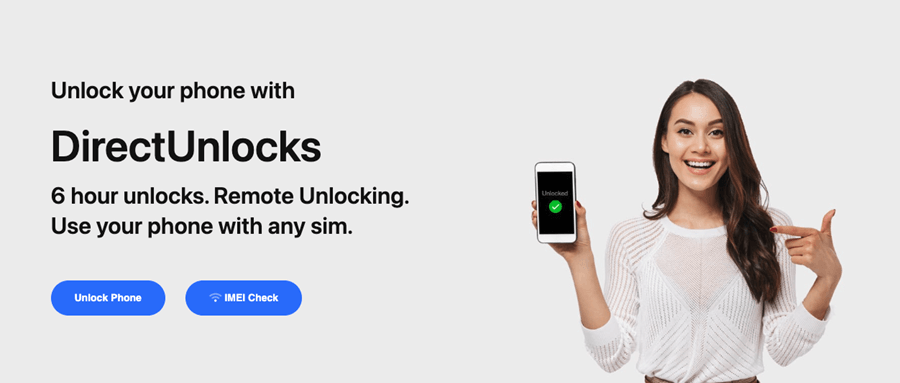
Unlocking your phone via AT&T seems like a safe way to unlock your phone, but did you know there's another method that is equally safe but faster than AT&T? DirectUnlocks is a fast, easy-to-use online phone unlocking service that will unlock your phone in minutes! You don't need to meet any eligibility requirements to unlock your phone using DirectUnlocks!
What makes DirectUnlocks equally safe? Well, the safest way to unlock any carrier-locked phone is by using the IMEI number. That's why AT&T asks you to provide your device's IMEI number.
DirectUnlocks works the same way; provide your device's IMEI number, then sit back.
2.1 Features of DirectUnlocks
Permanently Unlocks Your Phone
Unlike other unlocking services that unlock your phone temporarily (your phone gets locked again when you reset it), DirectUnlocks is permanent. Your phone will remain unlocked even after resets.
Compatible With All Phone Brands and Models
While most unlocking services are OS-specific, you can use DirectUnlocks to unlock any phone brand. It does not matter the model or operating system; DirectUnlocks unlocks everything!
Supports All Network Provides
Most unlocking services only target the big names in the industry, but that's not the case with DirectUnlocks. DirectUnlocks unlock phones from all network providers. You can confirm for yourself right here.
Does Not Void Your Phone's Warranty
A tiny software or hardware modification can void a phone's warranty. Unlike other unlocking services that root or jailbreak (software modification) your phone, DirectUnlocks does not modify anything. Your phone will remain in the same condition as before you unlocked it.
Customer Support
As soon as you pick DirectUnlocks, you will have a customer service agent ready to help you.
Fast Turnaround Time
DirectUnlocks's turnaround time is among the best in the market. AT&T's turnaround time is 48hrs. DirectUnlock's worst is 24hrs. Do you want to unlock a Samsung phone? DirectUnlocks will have it ready in 6 hrs.
2.2 How to Unlock A&TT Phone Using DirectUnlocks
You only need your phone's IMEI number for AT&T phone unlock using DirectUnlocks.
Use the steps below to unlock your phone using DirectUnlocks:
Step 1: Obtain your phone's IMEI number by dialing *#06#. The IMEI number will be displayed on the screen.
Step 2: Fill out the form below, then click "Unlock Your AT&T Phone"
Submit AT&T Unlock Request Now
Step 3: Pay the unlocking fee. Your order will be processed immediately.
Step 4: Wait for a confirmation message. You will receive an email with the instructions to unlock your phone.
Part 3. FAQs About AT&T Unlock Request
How long does an AT&T unlock request take?
An AT&T unlock request can take up to 48 hours before it is approved. Please note that you must first click the link in the email to confirm your request; otherwise, AT&T will cancel it.
How to check AT&T unlock request status?
Once you submit an unlock request, you can go to the device unlock status page to see your request status. You will need your device's IMEI and request number. You can find your request number in the confirmation email sent by AT&T.
Conclusion
Solid and broad coverage, great plans, a variety of phones to pick from, etc., are some of the perks that have made AT&T one of the best telecommunication industries.
It's not a bad idea to unlock your AT&T phone through AT&T. After all; they are the official unlocking method. However, if you want a simpler and more efficient way without eligibility requirements, go with DirectUnlocks.
You May Like