You can't do much with a blacklisted phone, but that doesn't mean you should throw it away in the trash.
There's no need to waste a good phone.
Take it out, whiff off the dust, and charge it, because It can be resurrected—all thanks to technology.
Here is everything you need to know about blacklisted phones and how to get them off that blacklist.
Ultimately, you'll have a working phone with the best network options.
Let's cut to the chase, shall we?
What is a Blacklisted Phone?

A blacklisted phone is a handset that is ineligible for cellular service from any network provider.
Most times, when a phone is stolen, the owner blacklists its IMEI number. That prevents the phone from using any mobile service network.
The other reason a phone may get blacklisted is if its owner was flagged for fraud by the authorities or they defaulted on payment terms.
It's a common phenomenon.
The best you can do with a blacklisted phone is to connect the phone to wifi to access the internet, play games or watch movies. You can do anything else but use a sim card.
Thanks to improved technology, you can now unblock your blacklisted phone. If you thought it impossible, let's change that.
How to Unlock a Blacklisted Phone for Free?
You have to unlock your blacklisted phone if you want to use it on any network.
There are ways you can use to unlock it for free, provided you have the IMEI number of your phone.
The best options that you can use to unlock your blacklisted phones for free are:
- Contacting the original service provider,
- Trying the setting app.
It's time to redeem our blacklisted phone. Keep reading.
Contacting the Original Service Provider
One of the surest methods of unlocking your phone is to get in touch with your network service provider and provide your IMEI number.
The fastest way to find your IMEI number is to dial *#06# on your phone. The 15-digit code appears on your screen even if your phone is blacklisted.
You can also trace the number through your Settings>About Phone. This also displays all your phone information on the screen.
Next, inform your carrier that you wish to unlock your phone. The only hurdle in this journey is that they will check why your phone is blacklisted.
This may hinder you from getting the phone unlocked.
Trying the Settings App
Some phones have unique settings with an unlock option, even if the phone is blacklisted.
Check your phone's settings, and if you find it connect it to wifi and follow the instructions. Your phone is then unlocked in a few moments.
Uses of a Blacklisted Phone
A blacklisted phone is not entirely useless, as most of you thought before. There are many ways that a blocked phone can benefit you.
Let me show you how.
Harvest Re-Sale Parts.
If you already have a working phone, you can instead sell your blacklisted phone's parts that are still in good shape, such as the screen, battery, or any other component.
An original spare part in working condition is hard to find, so you might be sitting on a fair fortune by withholding your phone.
Use It to Browse the Internet.
You can use your blacklisted phone to connect to the Internet through wifi.
Enjoy the phone's ability to watch movies, play live games, or listen to online and offline music.
Trade It In.
Some third-party unlocking sites and wireless mobile carriers can offer to take your phone in exchange for a much less valuable phone.
In cases where you insist on a cash payment, the provided value is usually less than the phone's original worth.
Use It as a Notebook.
You can use your blacklisted phone as a notebook to jot down important stuff in meetings or to store your notes.
You can use it as a personal diary and set a password to prevent unauthorized access. Now you have a digital journal.
How to Check if Your Phone Has Been Blacklisted
A blacklisted phone can easily confuse you with a locked or faulty phone, but here's how to avoid that confusion.
If you want to be sure about the status of your phone, then the right way to go about it is by running your IMEI number on an unlocking website online.
The best third-party unlocking site to run your IMEI number and get an excellent result is DirectUnlocks.
Here's how.
DirectUnlocks
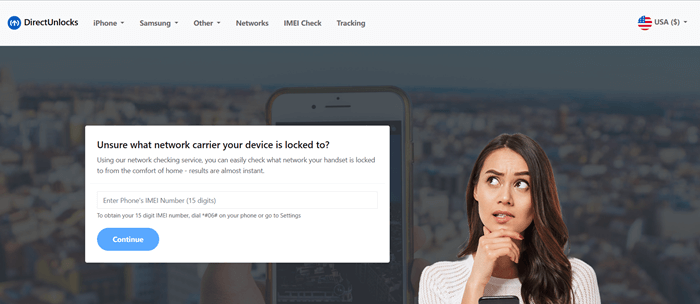
DirectUnlocks is a licensed website that can unlock any type of blacklisted phone without damaging its software or hardware or ruining your warranty terms.
DirectUnlocks- Your Best Phone Unlock Service
Apart from unlocking phones, DirectUnlocks also offer an IMEI checking service. Just key in your IMEI number, and let the algorithm do the rest.
The entire process is remote and happens in the background. That way, you can still use the phone so your routines or plans remain on schedule.
After receiving and processing your payment, your phone will display the unlock status on your screen - including whether it is blacklisted or not.
Conclusion
Over the years, guys would just forsake their blacklisted phones, thinking they were useless.
On the contrary, there are other ways you can benefit from a locked phone, like selling it for parts or trading it in.
If that's not how you see you and your phone parting, you can always consult your service provider or an unlocking site like DirectUnlocks to free it.
Reuse your blacklisted phone instead of disposing of it - that's one way to take care of the environment.
You May Like