In this digital age, we rely heavily on our phones to store essential data like our best selfies.
Our phones mean a lot to us, but what happens when you lose your precious gadget with unbacked-up data?
That's where your phone's IMEI number comes in.
With an IMEI number, you can track and deactivate your lost phone to avoid essential and private information from falling into the wrong hands.
You are on the right page if you need further enlightenment about your IMEI number, its importance, and how to find it even after losing your phone.
Let's get this rodeo rolling.
What is IMEI Number?
An International mobile equipment identity (IMEI) is a unique set of 15 digits found in every original phone.
Yours included.
Did you know that counterfeit phones lack IMEI numbers? The IMEI on your phone is the first confirmation that your phone is legit.
That aside, an IMEI number is the primary key to your phone.
With it, you can trace important information about your phone, such as the model and the build year.
Then comes the following question - what about the phones with two IMEI numbers? A double-line phone has two IMEI numbers - one for each tray.
The Purpose of an IMEI Number
The primary purpose of your phone's IMEI number is to combat the rising trend of phone theft worldwide by blocking and tracking it.
If your phone is stolen, call your service provider, give them your IMEI number, and ask for your phone to be blocked.
That way, your phone's new owner won't be able to use it or interfere with your data. The worst they can do is harvest the crucial parts of your phone, such as the screen.
Not cool.
Apart from locking your lost phone, you can also use your IMEI number to track it.
So how do you find your phone's IMEI?
On a typical day, you can fetch your IMEI number by dialing *#06#.

Alternatively, go to your phone settings and select ‘About phone,' and you will easily retrieve it.

Sadly, most people don't see the need to keep their IMEI number close, only when they lose their phone.
So, what happens when you need your IMEI number, but your phone just got stolen?
How to Find IMEI Without Your Phone
Finding an IMEI number without having your phone is the best gift technology has given us.
It has made life easier since not everyone can cram a 15-digit IMEI number. Neither will you undergo the hassle of keeping it somewhere and then forgetting.
It's an endless cycle of pain.
The good news is that you can find your IMEI number without your phone.
Here are some of the best ways of finding your IMEI number without your phone:
- Using Google find my device
- The Apple website
- Via iTunes
- Packing
Let me break it down for you.
Google Find My Device
For your sake, Google has made your digital life sweeter and easy. You can remotely control your lost Android phone with a Google account.
Through the ‘find my device' feature on Google, you can call your lost device, erase personal data or lock it so no one can use it.
Finding IMEI numbers using Google is very easy. You only need your Google logins, and you are good to follow these steps:

- Open Google Find My Device on your computer
- Log in with your Google account that was synced on your Android
- Check out the list of Google signed-in devices
- Click on the information icon that is adjacent to the name of the device you want
- Behold, your IMEI details
You can thank Google later. Let's move on.
On the Apple Website
Finding your Phone's IMEI number is similar to the procedure for Android phones. The only difference is that you will log into your iCloud account (instead of Google, of course).
Here's what you have to do to find your iPhone's IMEI number:
- Open the Apple website on your computer
- Log in with the Apple credentials you used on your phone
- Head to the Devices section on the website
- Click on the device, and your IMEI number, together with your other phone information, will pop up
Easy peasy.
Finding IMEI on iTunes
iTunes is another easy hack for iOS users to find their phone's IMEI number. All you have to do is sync your iOS device with iTunes, and you are good to go.
Here's how you go about it:

- Access iTunes on your Mac or pc version of iTunes
- Choose the Edits option, then click or tap Preferences
- Go for the Device option
- Choose Device Backups, then hover your mouse over the latest backup option.
- Your phone particulars will be visible, including the IMEI number
Always remember that this option only works with iOS phones synced with iTunes.
Packing
Packing is the commodity your product (phone) comes in. In this case (pun intended), use your phone's package/box/case to find your IMEI number when you don't have your phone.
For security reasons, a brand-new mobile phone is packed in a box with an IMEI number written or printed on the back.

Apart from the box, you'll notice the IMEI number written on the receipt after buying a phone; don't put this one straight into the bin after purchase, alright?
Good.
Now let me show you how to use your IMEI number to unlock your phone.
How to Unlock Your Phone Using IMEI Number
Besides using your IMEI number to track and block your lost phone, you can also use it for phone unlock if it is locked upon purchase.
A locked phone is a device restricted to use only a specific network provider and stays so until it is unlocked.
So what's the deal with DirectUnlocks?
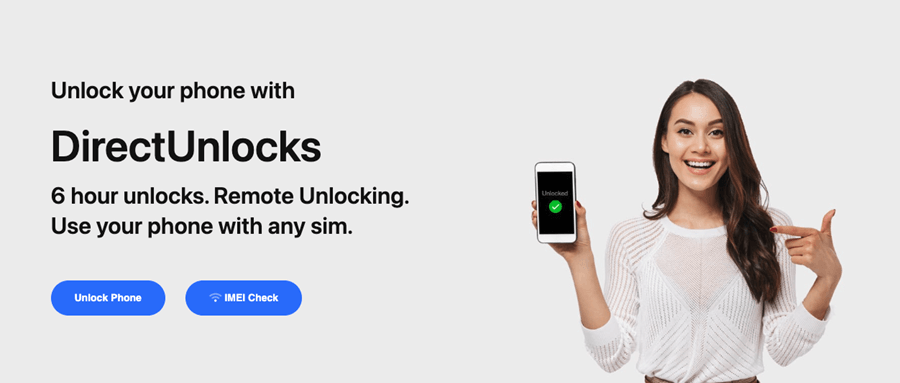
DirectUnlocks is the only legal website that can unlock your phone at an affordable price using your IMEI number.
The best thing is that the entire process is done remotely, plus you can also use the website to retrieve your IMEI number.
What a multitasker.
Anyway, here's how to unlock your locked phone:
- Select the network provider that you wish to leave
- Enter your IMEI number into the form below
- Make your payment
- The unlocking process begins.
Enter Your IMEI to Unlock
After the process is successful, you will receive an email and a confirmation sms to seal the deal.
Conclusion
We can finally agree that the importance of IMEI numbers in your life and phone is immeasurable.
Same as your bank pin or any other valued number, you can always retrace it when needed, and now you know how.
Like Murphy once said, "If it can go wrong, it will", so don't wait until it does.
Treat your phone's IMEI number with a lot of caution. That way, you'll have an emotional and financial safety net when you lose your phone.
Information is power, so save the world - or at least your phone - when the time comes with the IMEI number.
I'm counting on you, friend.