
Unlock T-Mobile Samsung for compatible Sim/eSim
Unlock your Samsung from T-Mobile to use any supported Sim Card/eSim from other networks, with an unlock code from our online unlocking service. Enjoy the freedom to switch carriers, travel abroad, and use any SIM card — all from the comfort of your home.
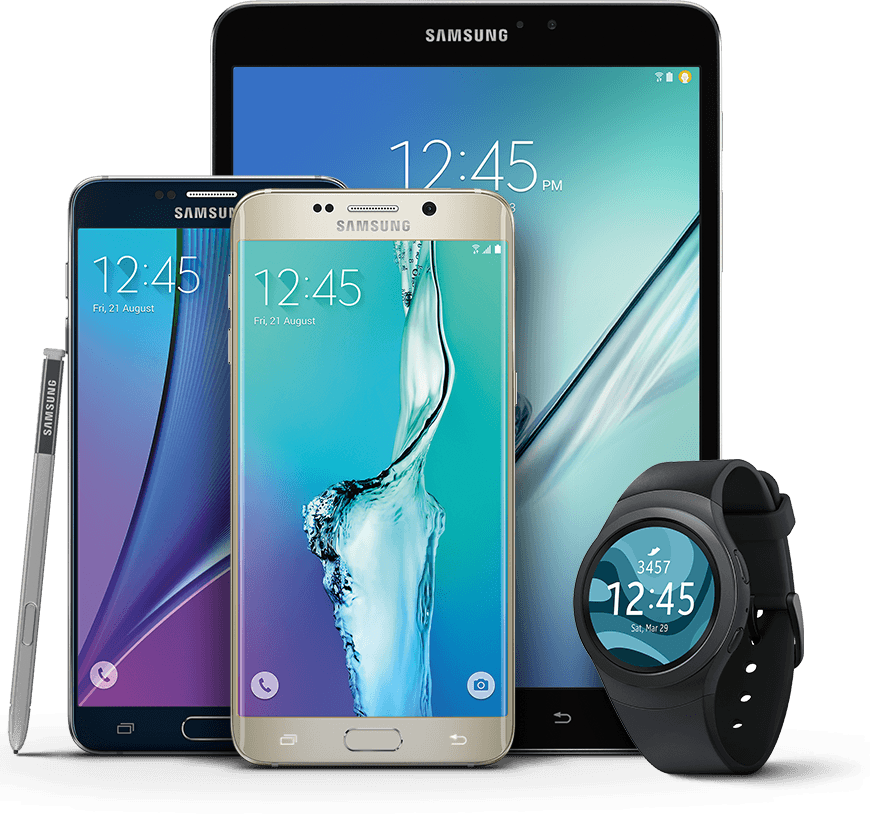
Unlock your Samsung from T-Mobile today for a great price.
Fast unlock delivery
Many eligible phones on the T-Mobile network are unlocked within 24 hours; some cases can take longer depending on carrier response.
International use
Your Samsung can work on compatible networks around the world as well as T-Mobile, depending on local coverage and device support.
Your phone is safe
You keep your device throughout the entire unlocking process. The process does not involve jailbreaking or hardware modification.
Simple, remote IMEI-based unlocking for eligible T-Mobile Samsung phones in 3 steps with DirectUnlocks.
Quickly and easily unlock your eligible T-Mobile Samsung remotely:
Provide your device details
Choose the network of the phone you wish to unlock and supply the IMEI number. We'll autodetect the model for you.
You can get your IMEI by dialling *#06# on your phone.
We process your unlock
As soon as your order is placed, our system securely contacts T-Mobile and begins the unlock process. Many unlocks complete quickly, but timing depends on T-Mobile policies and device status.
Phone is ready
Once processed, the unlock remains active even after software updates or resets. You’ll receive confirmation by email and push notification. Apple devices are processed remotely, and others receive an authorised unlock code.
Unlock Your Phone: Save Money, Unlock More Value
Save on Roaming Charges
Data plans are expensive when traveling, especially for social media and data-heavy apps. Unlocking your phone lets you use local SIM cards, saving on roaming fees.
Sell Your Phone for More
Unlocked phones hold their value better. When you're ready to sell, you'll get more for your unlocked device.
Switch Providers with Ease
Unlocking your phone lets you switch to cheaper providers or better network deals with no hassle.
Why Choose DirectUnlocks?
- Uses IMEI-based processes that align with standard carrier unlocking practices where available.
- Quick and Easy: Unlock your phone from the comfort of your home with no complicated instructions.
- Compliant and Secure: The process meets carrier and manufacturer guidelines.
- Money-back Guarantee: If we don’t unlock your phone, we’ll refund your money.
- Track Your Unlock Status: Stay updated via Push Notifications and email. Once unlocked, you can pop in any compatible SIM card, or if your phone supports it - activate any compatible eSim.


Avaliado em 4,7 de 5 com base em 38,380 avaliações verificadas
Product Reviews of T-Mobile Samsung Carrier Unlock
Frequently asked questions
-
DirectUnlocks is one of the quickest providers of worldwide and cheap unlocks for the T-Mobile network. Many eligible T-Mobile phones are unlocked very quickly, but some cases take longer depending on carrier checks and device status. We offer a live tracking service to keep you up to date on progress.
-
Never. We arrange the unlock through T-Mobile systems where available, and once approved your phone updates when connected to the network or by entering an official unlock code. Your phone is secure during the whole process and there will be no interruptions to your T-Mobile service. Tracking is available throughout the unlock process.
-
Unlocking with IMEI is a standard method used by T-Mobile to unlock eligible phones and is done remotely from the comfort of your own home.
-
Unlocking with us is super quick, just provide your 15 digit IMEI (Dial *#06# on your locked device) and network/carrier, our system will automatically process your device by remotely identifying it and requesting a device unlock from T-Mobile standard processes where available.
-
In March 2013, the Obama administration and the Federal Communications Commission expressed the opinion that consumers should be able to switch carriers and keep their existing phones in response to a successful petition on the WhiteHouse.gov platform.
The Unlocking Consumer Choice and Wireless Competition Act was signed into law on August 1st, 2014 and as a result the law allows consumers to request unlocking of eligible devices from their carrier.
All services are limited to eligible devices and networks where carrier or manufacturer authorisation is available. We do not offer tools or software that bypass security locks, passcodes, or FRP/iCloud restrictions.
-
Yes, we can unlock these devices with ease.
Some Samsung phones, especially those from T-Mobile, require you to unlock them through the pre-installed Device Unlock app. When you open this app and select 'Permanent Unlock,' you may receive an error message stating, 'Unlock failed - not eligible for unlock.'
However, with our service, we can modify the device's status on T-Mobile's server to make it Eligible for Unlocking. There may be an additional charge for a Status Change compared to standard Unlocking Codes.
-
Yes, we have two solutions for you:
- Remote USB Unlock: We unlock the phone remotely by running some software
- Device Unlock App Status Change: This service marks your phone as eligible for unlocking on the T-Mobile server. You can then unlock it using the Device Unlock App on your phone.
Popular devices on T-Mobile
- Unlock T-Mobile Samsung (Other)
- Unlock T-Mobile Samsung A3
- Unlock T-Mobile Samsung A5
- Unlock T-Mobile Samsung Galaxy A01
- Unlock T-Mobile Samsung Galaxy A02
- Unlock T-Mobile Samsung Galaxy A10
- Unlock T-Mobile Samsung Galaxy A11
- Unlock T-Mobile Samsung Galaxy A12
- Unlock T-Mobile Samsung Galaxy A20
- Unlock T-Mobile Samsung Galaxy A21
- Unlock T-Mobile Samsung Galaxy A30
- Unlock T-Mobile Samsung Galaxy A31
- Unlock T-Mobile Samsung Galaxy A32
- Unlock T-Mobile Samsung Galaxy A40
- Unlock T-Mobile Samsung Galaxy A41
- Unlock T-Mobile Samsung Galaxy A50
- Unlock T-Mobile Samsung Galaxy A51
- Unlock T-Mobile Samsung Galaxy A52 4G
- Unlock T-Mobile Samsung Galaxy A7
- Unlock T-Mobile Samsung Galaxy A70
- Unlock T-Mobile Samsung Galaxy A71 5G
- Unlock T-Mobile Samsung Galaxy A72
- Unlock T-Mobile Samsung Galaxy Fold
- Unlock T-Mobile Samsung Galaxy J1
- Unlock T-Mobile Samsung Galaxy J2
- Unlock T-Mobile Samsung Galaxy J3
- Unlock T-Mobile Samsung Galaxy J4
- Unlock T-Mobile Samsung Galaxy J5
- Unlock T-Mobile Samsung Galaxy J6
- Unlock T-Mobile Samsung Galaxy J7
- Unlock T-Mobile Samsung Galaxy J8
- Unlock T-Mobile Samsung Galaxy Note 10
- Unlock T-Mobile Samsung Galaxy Note20
- Unlock T-Mobile Samsung Galaxy Note8
- Unlock T-Mobile Samsung Galaxy Note9
- Unlock T-Mobile Samsung Galaxy S21
- Unlock T-Mobile Samsung Galaxy S21+ 5G
- Unlock T-Mobile Samsung Galaxy S22 5G
- Unlock T-Mobile Samsung Galaxy S23
- Unlock T-Mobile Samsung Galaxy S24
- Unlock T-Mobile Samsung Galaxy S26
- Unlock T-Mobile Samsung Galaxy Z Flip
- Unlock T-Mobile Samsung Galaxy Z Flip 3
- Unlock T-Mobile Samsung Galaxy Z Flip 5G
- Unlock T-Mobile Samsung Galaxy Z Fold 3 5G
- Unlock T-Mobile Samsung Galaxy Z Fold4
- Unlock T-Mobile Samsung J5
- Unlock T-Mobile Samsung Note 10
- Unlock T-Mobile Samsung Note 3
- Unlock T-Mobile Samsung Note 4
- Unlock T-Mobile Samsung Note 5
- Unlock T-Mobile Samsung Note 7
- Unlock T-Mobile Samsung Note 8
- Unlock T-Mobile Samsung Note 9
- Unlock T-Mobile Samsung S10
- Unlock T-Mobile Samsung S10+
- Unlock T-Mobile Samsung S20
- Unlock T-Mobile Samsung S20 Plus
- Unlock T-Mobile Samsung S20 Ultra
- Unlock T-Mobile Samsung S3
- Unlock T-Mobile Samsung S4
- Unlock T-Mobile Samsung S5
- Unlock T-Mobile Samsung S6
- Unlock T-Mobile Samsung S6 Edge
- Unlock T-Mobile Samsung S6+
- Unlock T-Mobile Samsung S7
- Unlock T-Mobile Samsung S7 Edge
- Unlock T-Mobile Samsung S7+
- Unlock T-Mobile Samsung S8
- Unlock T-Mobile Samsung S8+
- Unlock T-Mobile Samsung S9
- Unlock T-Mobile Samsung S9+